
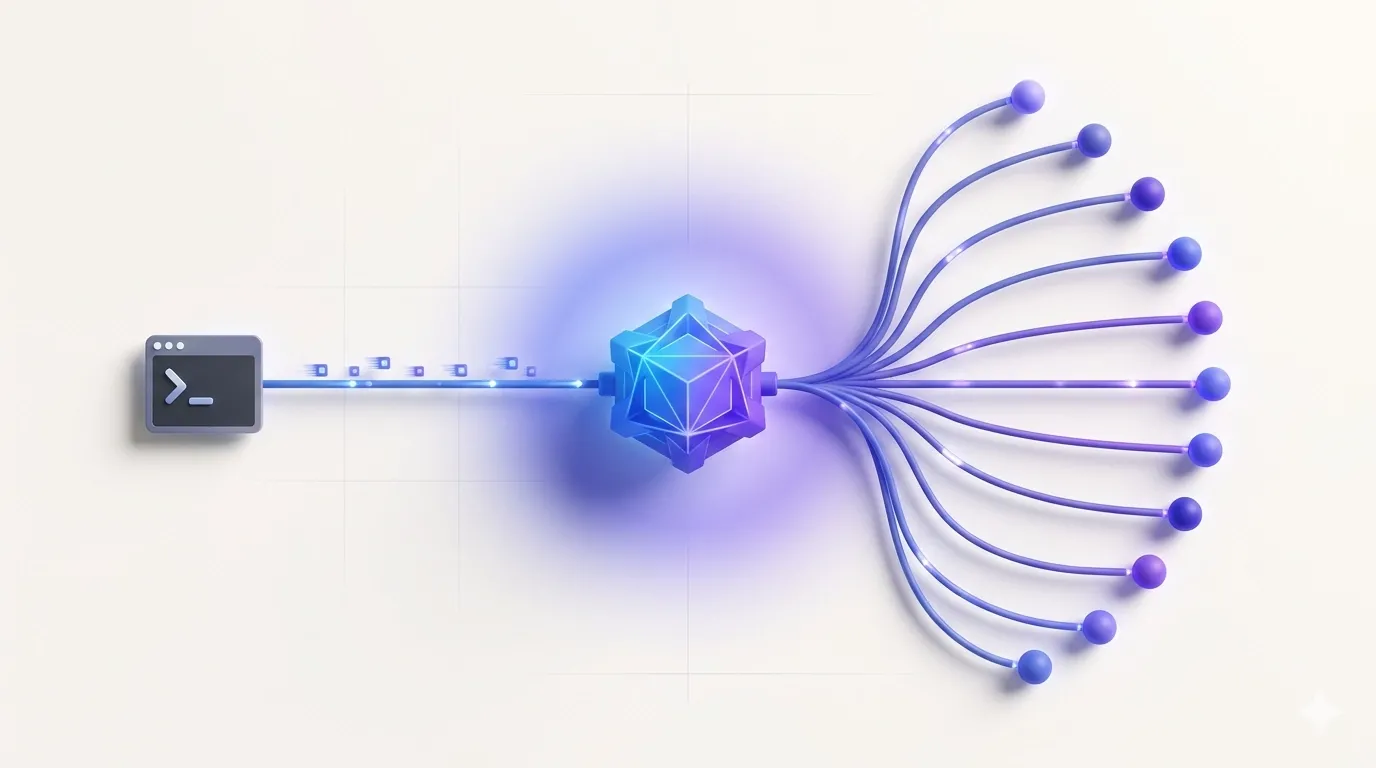
If you've spent any time with Claude Code, you already know the problem: it's a genuinely powerful agentic coding tool, but it runs exclusively against Anthropic's paid API, and the token costs add up fast during long sessions. Free Claude Code is an open-source Claude Code proxy that intercepts those Anthropic Messages API calls and routes them to whichever backend you actually want — NVIDIA NIM, Gemini, Groq, DeepSeek, Ollama, LM Studio, or a dozen others. The client-side protocol stays identical, so Claude Code never knows the difference. This is the hidden-gem spotlight it deserves.
What Free Claude Code Actually Does
The core idea is deceptively simple: Free Claude Code runs a local FastAPI server that speaks fluent Anthropic Messages API. Claude Code (and the VS Code extension, and JetBrains ACP) point at http://localhost:8082 instead of api.anthropic.com. The proxy receives every request, translates it into whatever wire format the chosen provider needs, handles streaming, normalizes thinking blocks and tool calls, and returns a response shaped exactly the way Claude Code expects.
What makes this more than a thin shim is the routing layer. You can assign different providers to each of Claude Code's model tiers:
- MODEL_OPUS — your most capable model slot (e.g.,
nvidia_nim/moonshotai/kimi-k2.5) - MODEL_SONNET — the everyday workhorse (e.g.,
open_router/openrouter/free) - MODEL_HAIKU — fast, cheap completions (e.g.,
ollama/llama3.1:8b) - MODEL — the catch-all fallback for anything else
That per-tier routing means Claude Code's internal model-picker still works — you're just deciding which actual model backs each tier. The proxy also exposes a /v1/models endpoint so Claude Code's Gateway model discovery can surface proxy-managed models directly in the /model picker, no manual environment variable gymnastics required.
Seventeen Provider Backends
At the time of writing, the supported provider list is:
- NVIDIA NIM, OpenRouter, Google AI Studio (Gemini), DeepSeek, Mistral La Plateforme, Mistral Codestral
- OpenCode Zen, OpenCode Go, Wafer, Kimi, Cerebras Inference, Groq, Fireworks AI, Z.ai
- LM Studio, llama.cpp, Ollama
The provider split is worth understanding. Some backends (Wafer, Kimi, Fireworks AI, Z.ai, DeepSeek) expose an Anthropic-compatible Messages API natively — the proxy routes those with minimal translation. Others (NVIDIA NIM, Groq, Cerebras, Mistral, Gemini, OpenCode) use OpenAI-compatible Chat Completions, so the proxy handles the SSE translation into Anthropic-shaped responses. Either way, the seam is invisible to Claude Code.
Setup: From Zero to Running in Four Steps
The install script handles everything — Python environment via uv, the fcc-server and fcc-claude binaries, and directory scaffolding:
# macOS / Linux curl -fsSL "https://github.com/Alishahryar1/free-claude-code/blob/main/scripts/install.sh?raw=1" | sh # Windows PowerShell irm "https://github.com/Alishahryar1/free-claude-code/blob/main/scripts/install.ps1?raw=1" | iex
After installation:
- Run
fcc-serverto start the proxy. Uvicorn binds on port 8082 by default and prints the admin URL. - Open
http://127.0.0.1:8082/admin— this is a local-only admin UI where you paste API keys, set model slugs, and validate config without touching files manually. - Pick a provider, enter its key, set your
MODELslug (e.g.,nvidia_nim/nvidia/nemotron-3-super-120b-a12bfor the free NVIDIA NIM tier). - Run
fcc-claudeinstead ofclaude. The launcher setsANTHROPIC_BASE_URL, the auth token, gateway model discovery, and a 190,000-tokenCLAUDE_CODE_AUTO_COMPACT_WINDOWautomatically on every start.
For the VS Code extension, the configuration is four environment variable lines in settings.json:
"claudeCode.environmentVariables": [ { "name": "ANTHROPIC_BASE_URL", "value": "http://localhost:8082" }, { "name": "ANTHROPIC_AUTH_TOKEN", "value": "freecc" }, { "name": "CLAUDE_CODE_ENABLE_GATEWAY_MODEL_DISCOVERY", "value": "1" }, { "name": "CLAUDE_CODE_AUTO_COMPACT_WINDOW", "value": "190000" } ]
JetBrains ACP follows the same pattern through its installed.json or acp.json config file.
Optional Extras Worth Knowing
Discord and Telegram Bots
The bot integration lets you run Claude Code sessions remotely from your phone or a secondary device. The bot streams progress, supports reply-threaded conversation branches, and accepts /stop, /clear, and /stats commands. You configure the bot tokens and an allowed working directory entirely through the Admin UI — no YAML files, no environment variable juggling.
Voice Note Transcription
An optional extra installs either local Whisper or NVIDIA NIM Riva for voice-to-text on Discord/Telegram messages. This is genuinely useful for dictating quick task descriptions from a phone without typing. Install it by re-running the install script with --voice-local or --voice-nim flags.
Rough Edges and Limitations
This is an actively developed project with real caveats you should know before adopting it:
- Provider quality varies wildly. Routing Claude Code's tool-use-heavy protocol through a model that doesn't natively support structured tool calls produces broken results. Stick to models with confirmed tool-use support, especially for agentic tasks. The repo explicitly recommends this for LM Studio and llama.cpp.
- Python 3.14 requirement. The project targets Python 3.14 (still in late alpha/pre-release at time of writing) for specific syntax features. The install script handles this via
uv, but it's a non-trivial dependency if you're managing Python environments manually. Verify your environment before deploying. - Auth token is a shared secret, not real auth. The default
ANTHROPIC_AUTH_TOKENvalue is literallyfreecc— it's a placeholder to satisfy Claude Code's auth header check, not a security mechanism. The admin UI is loopback-only, which mitigates this on a local machine, but be cautious if you're running this on a remote server. - Free provider tiers have rate limits. "Free" in the tool name refers to using free-tier provider credits, not unlimited usage. NVIDIA NIM, OpenRouter's free tier, and Gemini's free tier all have per-minute and per-day caps that Claude Code's agentic loops can hit quickly.
- Thinking/reasoning block normalization is best-effort. The proxy translates Claude-style thinking blocks for providers that expose reasoning differently (like Groq or Cerebras). This works in most cases but can produce quirks with complex multi-step reasoning tasks.
- No Docker support. The contributing guidelines explicitly say not to open Docker integration PRs. If your workflow depends on containerized tooling, this is a gap to plan around.
The Architecture in Plain Terms
The project is a clean FastAPI application organized into sensible layers: api/ for routes and routing logic, providers/ for the transport adapters, core/ for shared Anthropic protocol helpers, and messaging/ for the bot integrations. If you want to add a new OpenAI-compatible provider, you extend OpenAIChatTransport and register it in the provider catalog — the architecture makes this straightforward. The same pattern applies for Anthropic-compatible providers via AnthropicMessagesTransport.
A subtle but important optimization: the proxy answers certain trivial Claude Code probes locally without hitting the upstream provider at all. Claude Code sends several "are you alive / what are your capabilities" style requests at startup. Handling those locally saves latency and, more importantly, saves quota on rate-limited free tiers. That's thoughtful engineering for this use case specifically.
Who This Is Actually For
Free Claude Code makes the most sense in two scenarios. First: developers who want to experiment with Claude Code's agentic workflow without committing to Anthropic API costs upfront, especially while testing with local models via Ollama or LM Studio. Second: teams or individuals who already have credits or free-tier access with providers like NVIDIA NIM, Groq, or Gemini and want to use those credits through Claude Code's interface instead of a separate client. If you're already paying for Anthropic's API and happy with results, this adds complexity without obvious benefit. But if you're exploring, this is one of the more complete solutions for routing Claude Code traffic through alternative AI backends.
WHY I'D USE IT (valid HTML, 2 short paragraphs — my personal use case):
My immediate use case is evaluation: I want to stress-test Claude Code's agentic loop against several models — Gemini Flash, DeepSeek, and a local Qwen variant via Ollama — without switching clients or rewriting my workflow. Free Claude Code lets me do that by changing a single model slug in the Admin UI and restarting fcc-claude. That's a much cleaner experimentation loop than maintaining separate tool configurations per provider.
The Discord bot integration is also genuinely compelling for my setup. I sometimes kick off longer refactoring tasks and want to monitor progress from my phone without staying tethered to a terminal. Having Claude Code stream task output into a Discord channel, with the ability to /stop a runaway task remotely, is the kind of ergonomic improvement that's hard to build yourself and easy to underestimate until you actually need it.