
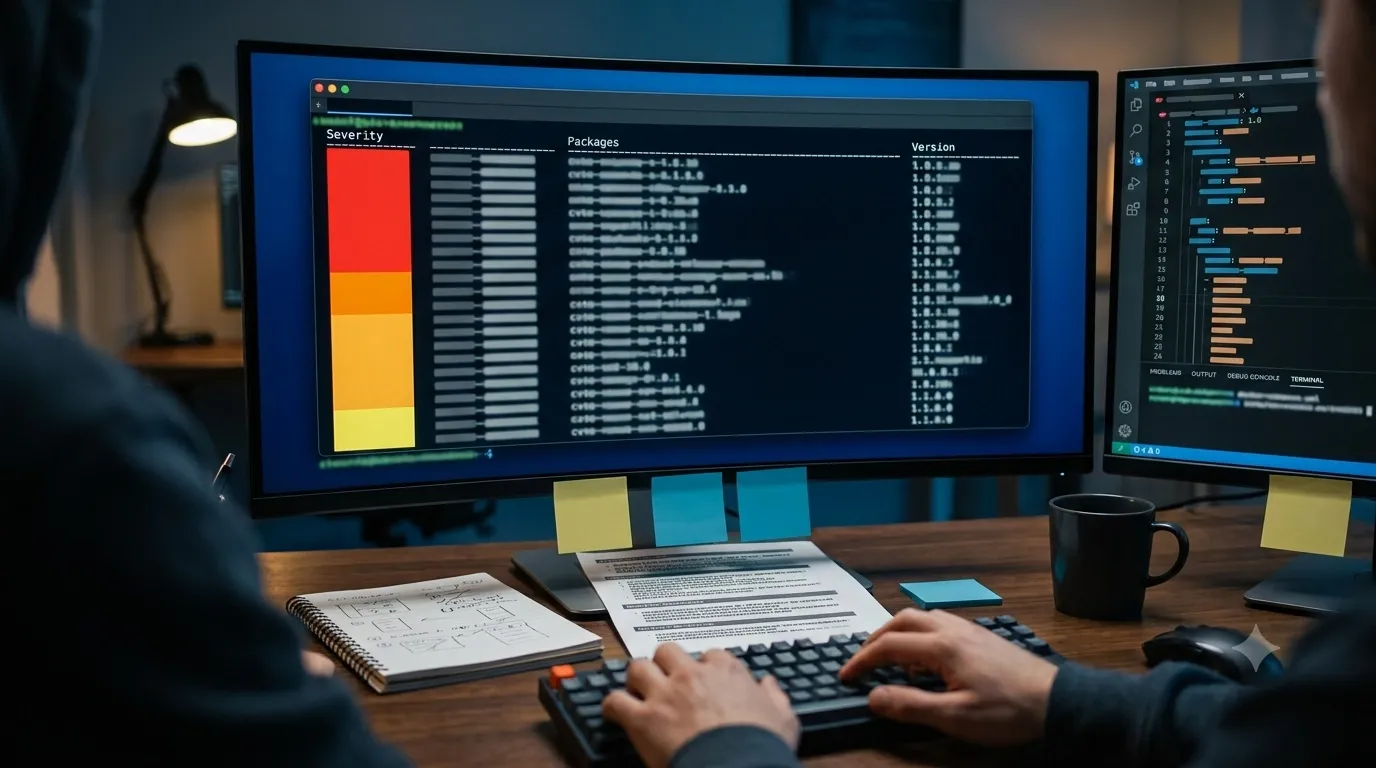
Here's what happened last month: I asked Claude to generate a Dockerfile for a Python web service. It wrote a clean, working Dockerfile that used python:3.9 as the base image, installed dependencies via pip, and ran the app with gunicorn. The code looked good, the container built successfully, tests passed, I deployed to production. Three days later, our security team flagged the deployment: the base image had 47 known CVEs including 3 critical vulnerabilities, and two of our Python dependencies had high-severity security issues. I had to emergency-patch and redeploy because I shipped vulnerable code to production without checking.
Trivy is an open-source security scanner that would have caught this before deployment. It scans container images, Dockerfiles, filesystems, git repositories, and infrastructure-as-code for vulnerabilities, misconfigurations, secrets, and license issues. You point it at an AI-generated Dockerfile or container image, and it reports every CVE, outdated dependency, exposed secret, and security misconfiguration — all from a single command. It integrates into CI/CD pipelines to block vulnerable builds automatically, and it's fast enough to run on every commit.
I haven't integrated it into my workflow yet, but the problem it solves is too familiar: AI coding assistants don't know about CVEs disclosed yesterday, last week, or even last year if they're not in the training data. They generate Dockerfiles using base images and dependencies that were reasonable when the model was trained but are now known to be vulnerable. If I'm going to trust AI to write infrastructure code, I need automated security scanning that catches what the AI missed.
What Trivy Actually Does
Trivy (from Aqua Security) is a comprehensive security scanner that detects:
- Vulnerabilities (CVEs): Known security issues in OS packages, application dependencies, and container images. Trivy checks against multiple vulnerability databases (NVD, Red Hat, Debian, Ubuntu, Alpine, etc.).
- Misconfigurations: Security issues in Dockerfiles, Kubernetes manifests, Terraform files, CloudFormation templates, and other IaC. Uses policies from industry standards (CIS benchmarks, NSA/CISA guidelines).
- Secrets: Exposed API keys, passwords, tokens, and credentials in code, config files, or container layers.
- License issues: Software licenses in dependencies that might violate compliance requirements.
- SBOM generation: Creates Software Bill of Materials (SBOM) in CycloneDX or SPDX format for supply chain transparency.
It scans multiple targets:
- Container images (local or in registries)
- Filesystems and directories
- Git repositories (local or remote)
- Kubernetes clusters and resources
- Infrastructure-as-code files (Dockerfile, Kubernetes YAML, Terraform, CloudFormation, etc.)
- VM images and root filesystems
- SBOM files (validating existing SBOMs)
The core workflow is:
# Scan a container image
trivy image python:3.9

# Scan a Dockerfile
trivy config Dockerfile

# Scan a filesystem/directory
trivy fs .

# Scan a git repository
trivy repo https://github.com/example/app
Each scan returns a report showing vulnerabilities by severity (CRITICAL, HIGH, MEDIUM, LOW), affected packages, fixed versions, and links to CVE details.
Why AI-Generated Dockerfiles Need Security Scanning
When I write a Dockerfile myself, I'm usually aware of current security best practices:
- Use specific image tags, not
:latest(for reproducibility and security). - Use Alpine or distroless base images when possible (smaller attack surface).
- Pin dependency versions (avoid surprise updates that break things or introduce vulnerabilities).
- Multi-stage builds to minimize final image size.
- Run as non-root user.
- Scan for CVEs before deploying.
When an AI writes a Dockerfile, it follows patterns from its training data, which means:
- Outdated base images: The AI might use
python:3.9because that was common in 2023 training data, even thoughpython:3.12-alpineis newer, smaller, and has fewer vulnerabilities. - Unversioned dependencies:
pip install flaskwithout version pins means you get whatever's latest when you build, which could have known vulnerabilities. - Copy-paste from old examples: The AI learned from Stack Overflow answers, GitHub repos, and tutorials that might be years old and use deprecated or vulnerable practices.
- No CVE awareness: Even if a CVE was disclosed last week, the AI doesn't know about it unless it was in the training cutoff date.
- Missing security hardening: The AI might not include USER directives, might expose unnecessary ports, or might copy secrets into layers.
The result is Dockerfiles that work (they build, they run) but are insecure (they contain known vulnerabilities, misconfigurations, or exposed secrets). Trivy catches these issues automatically before you deploy.
The Workflow: Scanning Before Deployment
Here's how I'd integrate Trivy into an AI-assisted workflow:
1. AI Generates the Dockerfile
I ask Claude or Copilot: "Write a Dockerfile for a Python FastAPI app with PostgreSQL connection." It generates:
FROM python:3.9
WORKDIR /app
COPY requirements.txt .
RUN pip install -r requirements.txt
COPY . .
CMD ["uvicorn", "main:app", "--host", "0.0.0.0", "--port", "8000"]
Looks reasonable. But is it secure?
2. Scan the Dockerfile
trivy config Dockerfile
Output might show:
- Misconfiguration: "Running as root user" (HIGH severity) — no USER directive, so the container runs as root.
- Misconfiguration: "HEALTHCHECK instruction missing" (LOW severity) — no health check defined.
- Base image issues: "Base image python:3.9 has 47 known vulnerabilities" — Trivy doesn't scan the base image in config mode, but warns you to scan it separately.
3. Build and Scan the Image
docker build -t myapp:latest .
trivy image myapp:latest
Output shows:
- CRITICAL: CVE-2024-1234 in libssl (fixed in version 3.0.8, you have 3.0.5)
- HIGH: CVE-2024-5678 in pip package "requests" (fixed in 2.31.0, you have 2.28.0)
- MEDIUM: 15 other vulnerabilities in OS packages
- SECRET: Possible AWS access key in layer sha256:abc123...
4. Fix the Issues
Based on Trivy's report:
- Change base image to
python:3.12-alpine(newer, fewer vulnerabilities, smaller) - Pin dependency versions in
requirements.txtand update to patched versions - Add
USER appuserdirective to run as non-root - Remove the accidentally committed AWS key from the git history or environment variable
- Add a HEALTHCHECK directive
5. Re-scan to Verify
docker build -t myapp:latest .
trivy image myapp:latest
Output shows:
- 0 CRITICAL
- 0 HIGH
- 2 MEDIUM (acceptable for now)
- No secrets detected
Now it's safe to deploy.
Integrating Trivy Into CI/CD
The real power is running Trivy automatically in your CI/CD pipeline to block vulnerable builds before they reach production:
GitHub Actions Example
name: Build and Scan
on: [push]
jobs:
  scan:
    runs-on: ubuntu-latest
    steps:
      - uses: actions/checkout@v4
      - name: Build image
        run: docker build -t myapp:${{ github.sha }} .
      - name: Run Trivy
        uses: aquasecurity/trivy-action@master
        with:
          image-ref: myapp:${{ github.sha }}
          exit-code: 1  # Fail the build if vulnerabilities found
          severity: CRITICAL,HIGH
      - name: Push image
        if: success()
        run: docker push myapp:${{ github.sha }}
This workflow:
- Builds the Docker image from the AI-generated (or human-written) Dockerfile.
- Scans it with Trivy for CRITICAL and HIGH severity vulnerabilities.
- Fails the build if any are found (exit-code: 1).
- Only pushes the image to the registry if the scan passes.
You can tune the severity threshold, ignore specific CVEs (if you've verified they don't affect your use case), or run Trivy in different modes (config scan, filesystem scan, secret scan).
GitLab CI Example
scan:
  image: aquasec/trivy:latest
  script:
    - trivy image --exit-code 1 --severity CRITICAL,HIGH myapp:latest
Local Pre-Commit Hook
You can also run Trivy locally before committing:
# .git/hooks/pre-commit
#!/bin/bash
if [ -f Dockerfile ]; then
  echo "Scanning Dockerfile..."
  trivy config Dockerfile --exit-code 1 --severity HIGH,CRITICAL
  if [ $? -ne 0 ]; then
    echo "Trivy found vulnerabilities. Fix them before committing."
    exit 1
  fi
fi
This catches issues before they even enter version control.
What Trivy Scans For (Detailed)
Vulnerabilities (CVEs)
Trivy checks packages against multiple vulnerability databases:
- OS packages: Debian, Ubuntu, RHEL, CentOS, Alpine, Amazon Linux, etc.
- Language-specific dependencies: Python (pip), Node.js (npm/yarn), Go (go.mod), Ruby (Bundler), Java (Maven/Gradle), Rust (Cargo), PHP (Composer), .NET (NuGet).
- Container images: Scans all layers, not just the final image.
For each CVE found, Trivy reports:
- Severity (CRITICAL, HIGH, MEDIUM, LOW, UNKNOWN)
- CVE ID (e.g., CVE-2024-1234)
- Affected package and version
- Fixed version (if available)
- Description and links (NVD, vendor advisories)
Misconfigurations
Trivy scans IaC files using built-in policies and supports custom OPA (Open Policy Agent) rules. Built-in checks include:
- Dockerfile: Running as root, missing HEALTHCHECK, using :latest tag, COPY before dependency install (cache busting), exposed secrets in ENV.
- Kubernetes: Privileged containers, host network/PID/IPC access, missing resource limits, security context issues, default service accounts.
- Terraform: Unencrypted storage, public S3 buckets, overly permissive IAM policies, missing logging.
- CloudFormation: Similar cloud security issues.
Secrets
Trivy detects exposed credentials using regex patterns and entropy analysis:
- AWS access keys and secret keys
- GCP service account keys
- Azure tokens
- GitHub/GitLab personal access tokens
- API keys (Stripe, SendGrid, etc.)
- Private keys (SSH, TLS/SSL)
- Database connection strings with passwords
It scans container layers, git history, and config files — catching secrets even if they were later removed (because they're still in old layers or commits).
License Compliance
Trivy identifies software licenses in dependencies:
- GPL (copyleft — might require releasing your source code)
- AGPL (even stricter copyleft)
- Proprietary licenses
- Dual-licensed packages
- Unknown licenses
You can configure policies to allow/deny specific licenses and fail builds that violate your organization's compliance rules.
Advanced Features I'm Planning to Test
SBOM Generation and Validation
Trivy can generate a Software Bill of Materials (SBOM) in CycloneDX or SPDX format:
trivy image --format cyclonedx myapp:latest > sbom.json
This is useful for:
- Supply chain transparency (know exactly what's in your container)
- Compliance requirements (government contracts, regulated industries)
- Incident response (if a new CVE is disclosed, query your SBOMs to find affected services)
You can also validate existing SBOMs:
trivy sbom sbom.json
This scans the SBOM for vulnerabilities without needing the original image.
Air-Gapped Environments
Trivy can run offline by downloading vulnerability databases in advance:
# Download databases
trivy image --download-db-only

# Run offline
trivy image --skip-db-update --offline-scan myapp:latest
Useful for environments without internet access (secure labs, production networks with strict egress policies).
Custom Policies with OPA
You can write custom security policies using Rego (OPA's policy language):
# deny containers running as root
package user.dockerfile.ID001

deny[msg] {
  input[i].Cmd == "from"
  val := input[i].Value
  contains(val[i], "root")
  msg = "root user detected"
}
This extends Trivy's built-in checks with organization-specific requirements.
Kubernetes Cluster Scanning
Trivy can scan running Kubernetes clusters:
trivy k8s --report summary
This scans all pods, deployments, and configurations for vulnerabilities and misconfigurations in your live cluster — not just images at build time.
Potential Rough Edges (From the Docs)
I haven't deployed Trivy yet, but based on the documentation and experience with security scanners, here are the likely friction points:
- False positives: Not every CVE affects your specific use case. A vulnerability in a library you don't use, or an issue that only triggers in a specific configuration you don't have, might still be flagged. You'll need to triage and suppress irrelevant CVEs.
- Database update latency: Trivy's vulnerability database is updated frequently, but there's always a lag between CVE disclosure and database inclusion. Brand-new vulnerabilities might not be detected immediately.
- Build time overhead: Scanning large images or complex filesystems adds time to CI/CD pipelines. For a 2GB image with hundreds of dependencies, a scan might take 30-60 seconds. That's usually acceptable, but it adds up across many builds.
- Noise from base images: OS base images (Debian, Ubuntu, Alpine) often have dozens of LOW/MEDIUM severity CVEs. Filtering noise while catching real issues requires tuning severity thresholds and ignore lists.
- Suppression management: If you suppress a CVE (because it doesn't affect you), you need to track why you suppressed it and re-evaluate periodically. Trivy supports
.trivyignorefiles, but managing them is manual work. - Language ecosystem coverage: Trivy supports most major languages, but edge cases (obscure package managers, private registries, monorepo structures) might have incomplete coverage.
Use Cases Where Trivy Is Essential
AI-Generated Infrastructure Code
You're using AI assistants (Claude, Copilot, Aider) to generate Dockerfiles, Kubernetes manifests, or Terraform configs. You need to:
- Verify the AI didn't use outdated base images.
- Catch vulnerable dependencies the AI included.
- Detect security misconfigurations (running as root, missing resource limits, exposed secrets).
Run Trivy on every AI-generated config before merging or deploying.
CI/CD Pipeline Security Gate
You're deploying containers frequently (multiple times per day). You need to:
- Block builds that introduce CRITICAL or HIGH vulnerabilities.
- Prevent accidental secret commits from reaching production.
- Enforce compliance policies (no GPL licenses, specific base images only).
Integrate Trivy into GitHub Actions, GitLab CI, Jenkins, or your CI/CD tool of choice. Set exit-code: 1 to fail builds on policy violations.
Supply Chain Security and SBOM
You need to provide SBOMs to customers, comply with government regulations (Executive Order 14028 in the US), or respond quickly to newly disclosed vulnerabilities. You need to:
- Generate accurate SBOMs for every release.
- Query SBOMs to find which services are affected by a new CVE.
- Prove to auditors what's in your containers.
Use Trivy's SBOM generation and validation features. Store SBOMs alongside container images in your registry.
Kubernetes Security Hardening
You're running a Kubernetes cluster with dozens of microservices. You need to:
- Audit running pods for vulnerabilities.
- Detect misconfigurations (privileged containers, host network access).
- Enforce security policies cluster-wide.
Run trivy k8s against your cluster regularly. Integrate with admission controllers (OPA Gatekeeper, Kyverno) to block insecure deployments at admission time.
Legacy Container Remediation
You have a registry full of old container images (some from years ago) and need to:
- Identify which images have critical vulnerabilities.
- Prioritize which images to rebuild or patch first.
- Track progress as you remediate the backlog.
Scan the entire registry with Trivy, export results to JSON or CSV, and build a remediation roadmap based on severity and usage.
How It Compares to Other Security Scanners
There are other container security scanners (Clair, Grype, Snyk, Anchore), but Trivy has become the de facto standard for several reasons:
- Comprehensive: Scans vulnerabilities, misconfigurations, secrets, and licenses in one tool. Competitors often specialize in one area.
- Fast: Written in Go, highly optimized. Scans most images in seconds, not minutes.
- Easy to use: Single binary, no server/agent required.
trivy image nginxjust works. - Accurate: Multiple vulnerability databases, active maintenance, low false positive rate.
- Open source and free: Apache 2.0 license. No paid tier required for core features (unlike Snyk).
- Wide language support: Covers all major ecosystems (Python, Node.js, Go, Java, etc.).
- Active community: From Aqua Security, with strong backing and frequent updates.
For most use cases, Trivy is the right choice. If you need advanced features (runtime protection, policy enforcement with OPA at scale, centralized management), you might look at Aqua's commercial products or other enterprise tools. But for CI/CD scanning and local development, Trivy is hard to beat.
Pairing It With the AI Development Stack
Trivy fits into an AI-assisted development workflow alongside other tools I've bookmarked:
- Trivy: Scans AI-generated Dockerfiles, dependencies, and container images for vulnerabilities.
- Aider: AI pair programmer that generates infrastructure code. Run Trivy on Aider's output before committing.
- ReviewDog: Automated linting in CI. Trivy can be integrated as a ReviewDog checker to post inline comments on PRs.
- DeepTeam: LLM red teaming. If your containerized app includes an LLM, use DeepTeam to test the LLM and Trivy to secure the container.
- PentesterFlow: Security testing agent. Use Trivy to scan the containers that PentesterFlow is testing, or vice versa.
The stack would be: AI generates infrastructure code → Aider refines it → Trivy scans for vulnerabilities → ReviewDog posts results inline in PRs → human reviews and approves → deploy to production with Trivy-verified containers. Each layer adds a different kind of safety.
Why This Bookmark Is High-Priority
Two weeks ago I deployed a Node.js API containerized with a Dockerfile that Copilot generated. The Dockerfile used node:16 as the base image. Three days after deployment, our security team flagged it: node:16 had reached end-of-life two months earlier and had 23 known CVEs, including several HIGH severity issues. I had to rebuild with node:20-alpine, update dependencies, and redeploy — a two-hour emergency patch that could have been avoided with 30 seconds of scanning before the initial deployment.
If I'd run Trivy before deploying, it would have immediately flagged:
- "Base image node:16 has 23 known vulnerabilities"
- "Consider upgrading to node:20 or later"
- Specific CVE IDs and severity levels
I would have fixed it before deployment, not as an emergency patch three days later. That's the value: catching vulnerabilities early (in development or CI) is cheaper and safer than discovering them in production.
I'm bookmarking Trivy at the top of my "integrate into CI/CD this week" list. If it reliably catches CVEs, misconfigurations, and secrets in AI-generated infrastructure code, it becomes a required step in my deployment checklist — right after build, before push to registry. The alternative — trusting AI-generated Dockerfiles without scanning — is how vulnerable code ships to production.
The Test Plan
Here's how I'll validate Trivy:
- Install locally:
brew install trivyor download the binary, verify it runs. - Scan a known-vulnerable image:
trivy image python:3.9(known to have CVEs), verify Trivy finds them and reports severity correctly. - Scan an AI-generated Dockerfile: Ask Claude to generate a Dockerfile, run
trivy config Dockerfile, review the misconfigurations found. - Build and scan the image: Build the image from the AI-generated Dockerfile, scan with
trivy image, verify it finds vulnerabilities in dependencies and base image. - Fix and re-scan: Update the Dockerfile based on Trivy's recommendations (newer base image, pinned dependencies), rebuild, re-scan, verify issues are resolved.
- Integrate into CI/CD: Add Trivy to GitHub Actions on a test repo, verify it fails builds when vulnerabilities are found, passes when the image is clean.
- Test SBOM generation: Generate an SBOM, inspect the format, verify it's accurate.
- Measure performance: Scan a large image (2-3 GB), measure scan time, determine if it's acceptable for CI/CD use.
If tests 1-6 show Trivy accurately detects vulnerabilities with acceptable false positive rates and integrates smoothly into CI/CD, it moves from "Bookmarked" to "Using" and becomes a required step in my deployment pipeline. If false positives are high or performance is too slow, I'll use it selectively for production deployments but not on every commit.